Top AI Tools for YouTube Content Creators in 2026
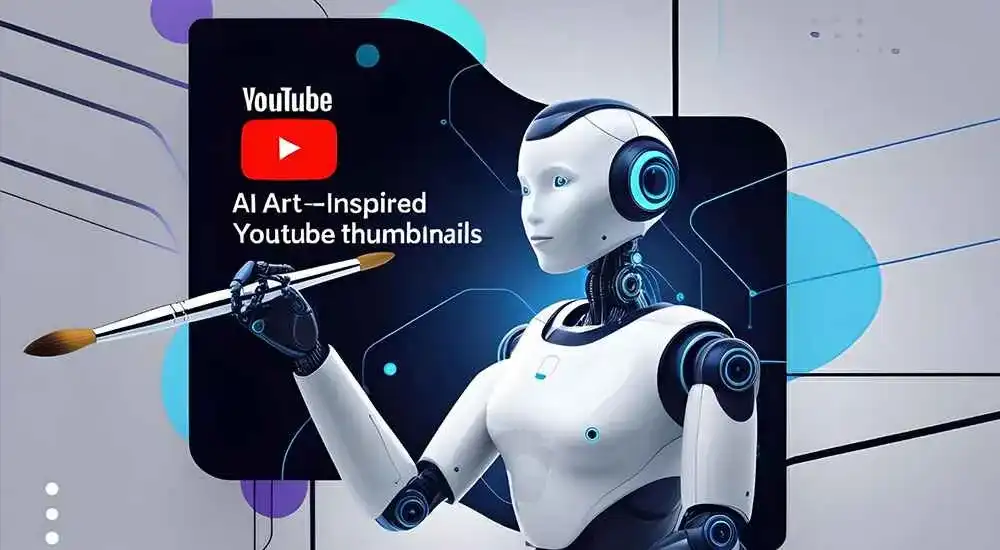
Artificial Intelligence has become one of the most valuable resources for YouTube creators. In 2026, AI tools are helping creators plan content, write scripts, generate thumbnails, edit videos, optimize SEO, create voiceovers, and analyze audience behavior faster than ever before.
Whether you’re a beginner YouTuber, influencer, educator, gamer, business owner, or professional content creator, AI tools can significantly improve productivity and help you publish better content consistently.
Why YouTube Creators Are Using AI Tools
- Faster video production
- Automated editing workflows
- Better thumbnails
- Improved SEO optimization
- Higher engagement rates
- Content idea generation
- Audience analytics insights
- Time and cost savings
1. ChatGPT
ChatGPT helps YouTube creators brainstorm ideas, write video scripts, generate titles, create descriptions, and produce engaging content outlines.
Best Features
- Script writing
- Video title generation
- Content planning
- Keyword ideas
- Audience engagement suggestions
Best For: Script writing and content planning.
2. VidIQ
VidIQ provides AI-powered YouTube SEO tools that help creators discover keywords, optimize videos, and grow their channels.
Best Features
- Keyword research
- SEO scoring
- Trend analysis
- Competitor insights
- Channel growth suggestions
Best For: YouTube SEO optimization.
3. TubeBuddy
TubeBuddy helps creators optimize content using AI-driven SEO recommendations and productivity tools.
Best Features
- Tag suggestions
- Title optimization
- Thumbnail testing
- SEO audits
- Channel management
Best For: Channel optimization.
4. Descript
Descript revolutionizes video editing by allowing creators to edit videos through text editing.
Best Features
- Automatic transcription
- AI voice cloning
- Text-based editing
- Podcast editing
- Screen recording
Best For: Fast video editing.
5. Canva AI
Canva AI helps creators design eye-catching YouTube thumbnails, channel banners, and social media graphics.
Best Features
- Thumbnail design
- AI image generation
- Brand templates
- Graphic design tools
- Video graphics
Best For: Thumbnail creation.
6. Pictory
Pictory transforms text into videos automatically, making it ideal for faceless YouTube channels.
Best Features
- Text-to-video generation
- Automatic visuals
- Voiceovers
- Subtitle generation
- Social media videos
Best For: Faceless YouTube content.
7. ElevenLabs
ElevenLabs provides realistic AI voice generation for narration and voiceovers.
Best Features
- Natural AI voices
- Multiple languages
- Voice cloning
- Professional narration
- Custom voice models
Best For: Voiceovers and narration.
8. Runway
Runway offers advanced AI-powered video editing and visual effects tools.
Best Features
- Background removal
- AI video generation
- Motion tracking
- Object removal
- Visual effects
Best For: Advanced video editing.
9. Synthesia
Synthesia allows creators to generate AI avatar videos without appearing on camera.
Best Features
- AI presenters
- Video creation
- Multilingual support
- Training videos
- Educational content
Best For: Educational and business channels.
10. Opus Clip
Opus Clip automatically converts long-form videos into viral-ready short clips for YouTube Shorts and social media.
Best Features
- Automatic clipping
- Short-form content generation
- Captions
- Virality scoring
- Social media optimization
Best For: YouTube Shorts creators.
AI Tools Comparison Table
| Tool | Main Purpose | Best For |
|---|---|---|
| ChatGPT | Script Writing | Content Planning |
| VidIQ | YouTube SEO | Channel Growth |
| TubeBuddy | Optimization | SEO Management |
| Descript | Video Editing | Editors |
| Canva AI | Thumbnail Design | Creators |
| Pictory | Text to Video | Faceless Channels |
| ElevenLabs | Voiceovers | Narration |
| Runway | AI Video Editing | Advanced Creators |
| Synthesia | AI Avatars | Business Videos |
| Opus Clip | Short Clips | YouTube Shorts |
Benefits of AI Tools for YouTube Creators
- Faster content creation
- Reduced editing workload
- Improved SEO rankings
- Better audience engagement
- Higher publishing consistency
- Professional-quality content
- Lower production costs
- Scalable content workflows
Final Thoughts
AI tools are changing how YouTube content is created in 2026. From script writing and thumbnail design to editing and SEO optimization, these platforms help creators produce high-quality content more efficiently.
The most successful YouTubers are increasingly combining multiple AI tools to streamline workflows, increase productivity, and focus more on creativity. Whether you run a small channel or manage a large content brand, AI can help you create better videos and grow faster.
Frequently Asked Questions (FAQs)
What are the best AI tools for YouTube creators?
Popular options include ChatGPT, VidIQ, TubeBuddy, Descript, Canva AI, Pictory, ElevenLabs, Runway, Synthesia, and Opus Clip.
Can AI help grow a YouTube channel?
Yes. AI assists with content ideas, scripting, editing, thumbnails, SEO, and audience analysis, helping creators grow faster.
Which AI tool is best for YouTube thumbnails?
Canva AI is one of the most popular tools for creating professional and engaging thumbnails.
Are AI video editing tools worth using?
Absolutely. AI video editing tools can automate repetitive tasks and dramatically reduce production time.









Comments (0)