Top AI Tools for Graphic Designers and Creative Professionals in 2026
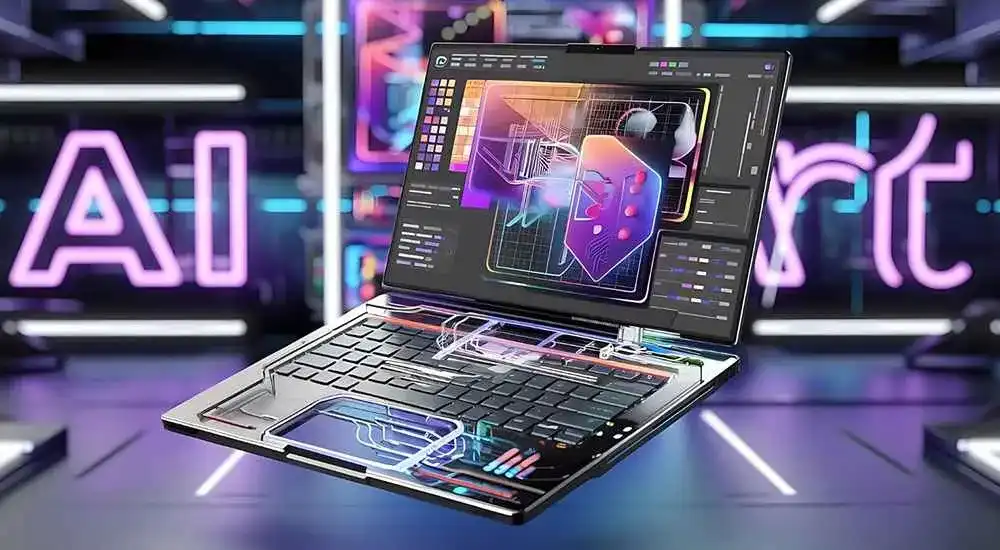
Artificial Intelligence has become one of the most important technologies in the creative industry. Graphic designers, digital artists, marketers, content creators, and branding professionals are increasingly using AI-powered tools to speed up workflows, generate creative concepts, improve designs, and produce stunning visual content.
In 2026, AI design tools are more powerful than ever. They can generate images from text prompts, create marketing graphics, remove backgrounds, enhance photos, build presentations, generate logos, edit videos, and even help with UX/UI design projects.
This guide explores the top AI tools for graphic designers and creative professionals and explains how each platform can improve productivity and creativity.
Why Graphic Designers Are Using AI Tools
- Faster content creation
- Creative inspiration and brainstorming
- Automated image editing
- Improved productivity
- Reduced repetitive work
- Better client turnaround times
- Professional-quality visual outputs
1. Adobe Firefly
Adobe Firefly is one of the most powerful AI tools for designers. Built directly into Adobe’s ecosystem, Firefly allows users to generate images, create text effects, expand backgrounds, and edit visuals using simple prompts.
Best Features
- Text-to-image generation
- Generative fill
- Background extension
- Text effects creation
- Photoshop integration
Best For: Professional graphic designers and Adobe users.
2. Midjourney
Midjourney remains one of the most popular AI image-generation platforms. It produces highly artistic and visually impressive images that are widely used for concept art, advertising campaigns, and creative projects.
Best Features
- High-quality AI artwork
- Concept design generation
- Creative illustrations
- Photorealistic visuals
- Style experimentation
Best For: Digital artists and creative agencies.
3. Canva AI
Canva AI combines design simplicity with powerful AI features. It enables users to create social media graphics, presentations, marketing materials, and branded content quickly.
Best Features
- Magic Design
- AI image generation
- Presentation creation
- Brand kit integration
- Social media templates
Best For: Freelancers, marketers, and content creators.
4. Leonardo AI
Leonardo AI is a favorite among designers who need highly detailed visual content. The platform offers advanced image generation and creative customization tools.
Best Features
- Game asset creation
- AI illustrations
- Marketing visuals
- Creative artwork generation
- Custom AI models
Best For: Illustrators and creative professionals.
5. DALL-E
DALL-E enables users to create unique images from natural language prompts. It is ideal for generating concepts, advertising visuals, social media graphics, and creative experiments.
Best Features
- Text-to-image generation
- Image editing
- Creative concept development
- High-quality visual outputs
- Fast rendering
Best For: Creative ideation and marketing design.
6. Figma AI
Figma AI helps UI/UX designers build interfaces more efficiently by automating design tasks and generating layouts.
Best Features
- Wireframe generation
- UI design assistance
- Content generation
- Design automation
- Collaboration tools
Best For: UX/UI designers and product teams.
7. Runway
Runway is a leading AI-powered creative platform focused on video production, animation, and visual storytelling.
Best Features
- AI video editing
- Object removal
- Text-to-video generation
- Motion graphics
- Creative effects
Best For: Video creators and motion designers.
8. Microsoft Designer
Microsoft Designer provides quick and professional design creation using AI-generated layouts and templates.
Best Features
- Marketing graphics
- Social media designs
- AI-generated templates
- Brand content creation
- Fast editing tools
Best For: Small businesses and marketers.
9. Looka
Looka specializes in AI-powered logo design and branding. Businesses can quickly create logos, brand kits, and visual identities.
Best Features
- Logo generation
- Brand identity creation
- Color palette suggestions
- Business branding assets
- Marketing materials
Best For: Startups and entrepreneurs.
10. Remove.bg
Remove.bg simplifies image editing by automatically removing backgrounds from photos within seconds.
Best Features
- Automatic background removal
- Batch processing
- High-quality cutouts
- Fast workflow integration
- E-commerce image support
Best For: Product designers and marketers.
AI Design Tools Comparison Table
| Tool | Primary Use | Best For |
|---|---|---|
| Adobe Firefly | Graphic Design | Professionals |
| Midjourney | AI Art | Artists |
| Canva AI | Marketing Design | Creators |
| Leonardo AI | Illustrations | Designers |
| DALL-E | Image Generation | Marketers |
| Figma AI | UI/UX Design | Product Teams |
| Runway | Video Creation | Video Editors |
| Microsoft Designer | Graphics | Businesses |
| Looka | Branding | Startups |
| Remove.bg | Photo Editing | E-commerce |
Benefits of AI Tools for Creative Professionals
- Accelerated design workflows
- Enhanced creativity and idea generation
- Lower production costs
- Faster project completion
- Professional-quality results
- Improved client satisfaction
- Better collaboration opportunities
How to Choose the Right AI Design Tool
The best AI tool depends on your creative goals. Graphic designers working with branding projects may prefer Adobe Firefly or Canva AI. Illustrators may benefit more from Midjourney or Leonardo AI, while UI/UX designers will likely gain the most value from Figma AI.
Video creators should consider Runway, while entrepreneurs and startups may find Looka and Microsoft Designer more useful for branding and marketing activities.
The Future of AI in Design
AI will continue transforming the design industry throughout 2026 and beyond. Future AI systems are expected to become more collaborative, allowing designers to work alongside intelligent tools that understand creative intent, brand identity, and audience preferences.
Rather than replacing designers, AI is becoming a powerful assistant that handles repetitive tasks and allows professionals to focus on strategy, innovation, and creativity.
Final Thoughts
AI tools have become essential resources for graphic designers and creative professionals. Whether you create logos, social media graphics, illustrations, websites, marketing campaigns, or videos, AI can help streamline your workflow and improve creative output.
The best results come from combining AI-powered automation with human creativity. By leveraging the tools discussed in this guide, designers can work smarter, deliver projects faster, and stay competitive in an increasingly digital world.
Frequently Asked Questions (FAQs)
What are the best AI tools for graphic designers in 2026?
Adobe Firefly, Canva AI, Midjourney, Leonardo AI, DALL-E, Figma AI, Runway, and Microsoft Designer are among the leading AI design tools.
Can AI replace graphic designers?
AI can automate many design tasks, but creativity, strategy, and artistic direction still require human expertise.
Check which AI image generator is best for designers?
Midjourney, Leonardo AI, Adobe Firefly, and DALL-E are among the most widely used AI image generators.
Are AI design tools suitable for beginners?
Yes. Most AI design platforms are beginner-friendly and help users create professional visuals without advanced technical skills.






Comments (0)