Password Security Tips: How to Protect Your Online Accounts in 2026
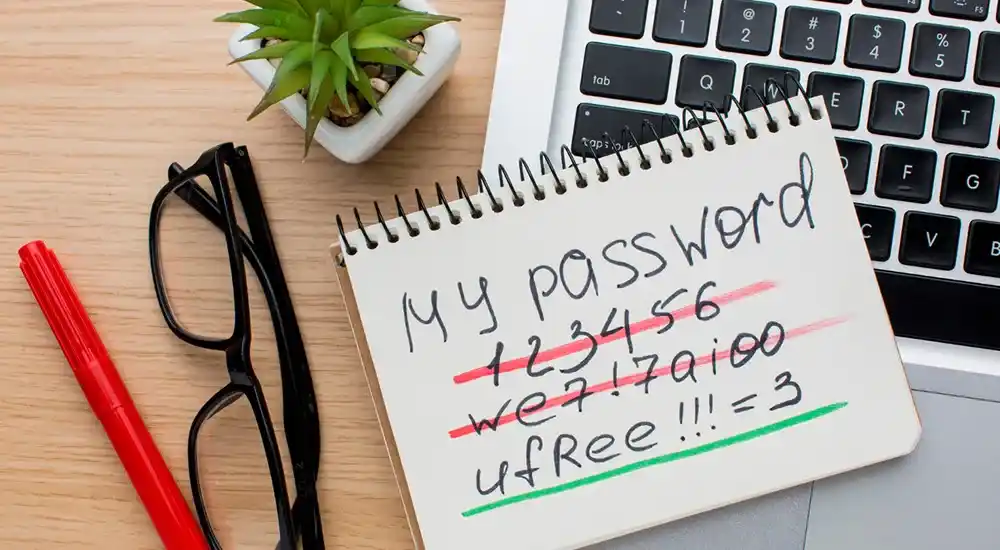
In today’s digital landscape, your passwords serve as the primary gateway to your personal, financial, and professional identity. As automated cracking rigs, AI-driven credential stuffing scripts, and deepfake phishing campaigns become more accessible to cybercriminals, basic passwords like 123456, Password1!, or your pet’s name offer zero real defense.
Practicing robust password security tips is no longer just a technical recommendation for IT professionals—it is a vital life skill for anyone navigating the internet. A single compromised account can trigger a domino effect across your email, social networks, cloud storage, and bank accounts.
In this exhaustive 2026 security guide, we break down actionable, expert-backed password security strategies. From crafting uncrackable passphrases and managing zero-knowledge vaults to deploying phishing-resistant multi-factor authentication (MFA) and transitioning to passkeys, this guide helps you fortify your digital footprint against modern cyber threats.
1. Why Password Security Matters More Than Ever in 2026
The computing power available to hackers has skyrocketed. Modern GPU-based cracking clusters can test hundreds of billions of password combinations per second. When a major service suffers a data breach, cybercriminals automatically feed leaked email-password pairs into automated bots that attempt to log into thousands of other popular websites—a technique known as credential stuffing.
If you use the same password for your online grocery store that you do for your primary email or online banking, a leak at the grocery site immediately compromises your core digital life. Protecting your accounts against these automated entry vectors tracks closely with defense frameworks analyzed in our master guide on Cybersecurity Threats and Prevention Strategies in 2026.
2. The Science of Strong Passwords: Passwords vs. Passphrases
For years, traditional security advice told users to create short, complex strings packed with uppercase letters, numbers, and symbols (e.g., Tr0p$!82). However, modern cybersecurity standards—including guidelines from NIST (National Institute of Standards and Technology)—have shifted focus toward entropy through length.
Why Passphrases Beat Short Complex Passwords
- The Length Advantage: Brute-force cracking time grows exponentially with total character length. An 8-character complex password can be cracked by high-speed rigs in minutes. Conversely, a 16-character passphrase composed of random words takes centuries to decipher.
- Human Memorability: A passphrase like
Velvet-Bicycle-Ocean-94!is easy for a human mind to visualize and remember, yet computationally devastating for automated dictionary scripts to guess. - Avoiding Predictable Substitution: Hackers build common letter-to-symbol substitutions into their cracking scripts (e.g., replacing
Ewith3, orAwith@). Random word combinations provide vastly superior cryptographic randomness.
3. Top 10 Password Security Tips for Maximum Account Protection
1. Use a Dedicated Zero-Knowledge Password Manager
Human brains are not built to memorize dozens of distinct 20-character random passwords. Attempting to do so inevitably leads to password reuse or predictable variations.
A dedicated password manager stores all your credentials in an encrypted vault locked behind a single master passphrase. Because top managers use zero-knowledge architecture, your data is encrypted locally on your device before reaching cloud servers.
To compare top open-source and premium vault options, review our exhaustive evaluation of the Best Password Managers in 2026.
2. Never Reuse Passwords Across Accounts
Every single account you own must have a completely unique password. If an obscure forum or online store you registered for five years ago experiences a data leak, an attacker possessing your leaked password will be unable to break into your primary email, cloud drive, or financial applications.
3. Upgrade to Multi-Factor Authentication (MFA)
Multi-Factor Authentication adds a secondary verification layer beyond your password. Even if a hacker successfully steals your login credentials, they cannot access your account without your secondary physical factor.
Ranking MFA Security Methods (Weakest to Strongest)
- SMS / Text Messages (Weakest): Vulnerable to SIM-swapping scams and interception. Use only if no other option exists.
- Authenticator Apps (TOTP – Good): Apps like Google Authenticator, Authy, or Aegis generate time-sensitive 6-digit codes locally on your device.
- Push Notifications with Number Matching (Stronger): Requires you to approve a login request on your phone by matching digits displayed on your screen, neutralizing accidental prompt taps.
- Hardware Security Keys (FIDO2 / YubiKey – Strongest): Physical USB/NFC keys that provide total protection against phishing by cryptographically verifying the destination website domain.
4. Transition to Passkeys Where Available
Passkeys represent the future of authentication. Built on the WebAuthn standard, passkeys replace traditional passwords with public-key cryptography. When logging into a site, your device verifies your identity using biometrics (Touch ID, Face ID, or device PIN).
Because passkeys never reveal a secret password to the website’s server, they are fundamentally immune to phishing scams and server-side leaks.
5. Stop Using Browser Password Saving Pop-ups
While saving credentials in Google Chrome, Microsoft Edge, or Safari seems convenient, browser databases are frequent targets for specialized info-stealer malware. Furthermore, browser managers lack advanced cross-platform sync capabilities, secure vault sharing, and dark web monitoring tools found in dedicated password managers.
6. Beware of Phishing & Look-Alike Domains
Phishing remains the single most common threat vector used to compromise credentials. Attackers craft emails and create look-alike website addresses (e.g., paypa1.com instead of paypal.com) to trick you into typing your password into a fake login portal.
Password manager browser extensions provide excellent phishing defense: because they autofill credentials based on exact domain matches, they will refuse to autofill your real credentials on a malicious look-alike site.
7. Audit & Clean Up Old Inactive Accounts
Every unused account you leave floating on the web represents a potential entry point for identity thieves. Conduct an annual digital audit: delete abandoned accounts, revoke third-party app permissions, and remove saved credit card profiles from online merchants you no longer visit.
Managing active browser tabs and extensions cleanly complements workflow strategies detailed in our review of the Best AI Chrome Extensions in 2026.
8. Enable Dark Web Breach Alerts
Modern security suites and password managers offer active breach monitoring. These services continuously cross-reference your email addresses and usernames against dark web databases, notifying you immediately if your credentials appear in a fresh data leak so you can change the affected password.
9. Secure Your Primary Email & Mobile Phone Number
Your primary email account is the key to your entire digital kingdom—anyone who controls your email can trigger password resets across all your other accounts.
- Protect your primary email with a long, unique master passphrase and a physical security key or authenticator app.
- Contact your mobile carrier and set up a PIN or verbal passphrase to prevent unauthorized SIM swaps.
10. Avoid Answering Security Questions Truthfully
Answers to standard security questions (e.g., “What was your high school?” or “What is your mother’s maiden name?”) can often be found by searching social media profiles or public records.
Treat security questions like secondary passwords. Store fake or randomly generated answers inside your password manager (e.g., set your favorite color as X9#kL2!mP).
4. Quick Comparison: Password Security Habits
Check how your current credential management habits compare against industry security standards:
| Security Practice | Unsafe Habit (High Risk) | Best Practice (Secure) |
|---|---|---|
| Password Creation | Short complex strings (e.g., P@ss2026) |
Random 16+ char passphrases or vault-generated strings |
| Account Uniqueness | Reusing 2–3 core passwords everywhere | 100% unique credentials for every single site |
| Storage Method | Browser autofill, sticky notes, or spreadsheets | Zero-knowledge encrypted password vault |
| Two-Factor Auth | Disabled or relying solely on SMS text codes | Authenticator apps, hardware keys, or passkeys |
| Security Answers | Answering real personal details truthfully | Randomized strings stored safely in your vault |
5. Future Trends in Passwordless Authentication
As we look ahead, the industry is moving rapidly toward a passwordless future. Next-generation operating systems are embedding hardware-level neural hardware and biometric enclave security to eliminate traditional passwords altogether.
To learn how upcoming operating systems integrate biometric security and advanced passkey architecture natively, read our technical breakdown of Windows 12 Features: Next-Gen AI OS, Design Changes & Requirements and explore new mobile device protections in Android 17 Features: AI Upgrades, UI Redesign, Privacy & Device Continuity.
Furthermore, ongoing breakthroughs in quantum computing are accelerating the adoption of post-quantum cryptography to ensure master keys remain secure against future decryption systems, a topic explored deeply in Quantum Computing Uses and Applications in Real Life.
6. How to Build an Actionable Password Security Routine
Upgrading your online safety does not have to be overwhelming. Follow this simple weekend checklist to secure your accounts step by step:
- Day 1: Download a reputable password manager and create a strong, memorable master passphrase.
- Day 2: Import your saved browser credentials, delete the unencrypted export files, and turn off browser password saving.
- Day 3: Identify your most critical accounts (primary email, bank, cloud storage) and update them with unique, randomly generated passwords while turning on MFA.
- Ongoing: Whenever you log into an old website, take 10 seconds to generate a fresh random password using your manager extension.
Building disciplined digital routines early helps students and young professionals master essential technology skills, as highlighted in our guide on the Top Skills Students Should Learn for Future Careers in 2026.
7. Final Thoughts
Implementing strong password security tips is one of the most effective steps you can take to protect your digital life, privacy, and personal finances. In a world where automated cyber threats operate 24/7, relying on weak or recycled credentials is an unnecessary risk.
By embracing a zero-knowledge password manager, adopting random passphrases, enabling multi-factor authentication, and utilizing passkeys, you build a resilient defense that keeps your private data secure.
To explore additional technology reviews, productivity tools, and time-saving workflows, check out our curated resources on Best AI Productivity Tools in 2026, explore flexible platforms in Top Online Learning Platforms for Students in 2026, or organize your personal schedules using Time Management Strategies Every Student Should Know.
Frequently Asked Questions (FAQs)
What are the most important password security tips for 2026?
The most vital password security tips include creating long random passphrases (16+ characters), using a zero-knowledge password manager, enabling multi-factor authentication (MFA) via authenticator apps or hardware keys, adopting passkeys, and avoiding credential reuse across websites.
Why are short complex passwords weaker than long simple passphrases?
Brute-force cracking tools process combinations exponentially faster based on total length rather than character complexity alone. A 16-character passphrase like “Coffee-Sunset-Guitar-42” takes centuries for AI tools to crack, whereas an 8-character complex string like “P@ss123!” can be cracked in seconds.
Are SMS-based two-factor authentication codes safe?
SMS 2FA is significantly vulnerable to SIM-swapping attacks and social engineering. While SMS is better than no 2FA at all, it is strongly recommended to upgrade to authenticator apps (TOTP), hardware keys (FIDO2), or biometric passkeys.
How often should I change my master passwords?
Security standards (including NIST guidelines) no longer recommend changing passwords on a mandatory timer unless you suspect a breach. Frequent forced password resets often lead users to create predictable, weaker variations of previous passwords.





Comments (0)