Top AI Video Editing Tools for Content Creators in 2026
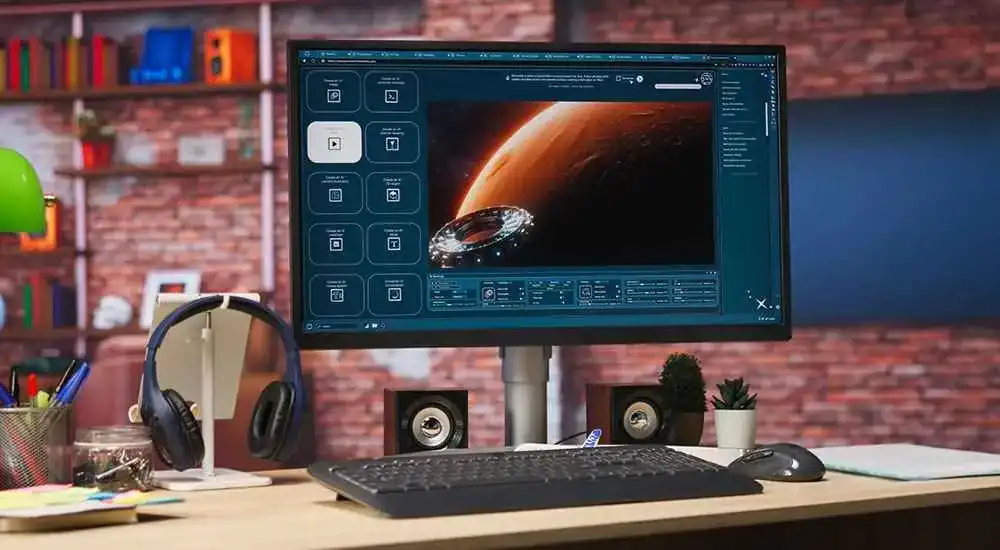
Artificial Intelligence has completely transformed video production. What once required hours of manual editing can now be completed within minutes using advanced AI-powered software. From automatic video cuts and subtitle generation to voice enhancement and content repurposing, AI video editing tools are helping creators produce professional-quality videos faster than ever before.
Whether you’re a YouTuber, social media influencer, marketer, educator, freelancer, or business owner, AI-powered video editing software can significantly improve your workflow while reducing editing time and production costs.
This comprehensive guide explores the best AI video editing tools for content creators in 2026 and explains how they can help you create stunning videos more efficiently.
Why AI Video Editing Is Growing So Fast
- Faster video production workflows
- Automatic editing capabilities
- AI-generated captions and subtitles
- Professional audio enhancement
- Content repurposing for social media
- Reduced production costs
- Improved accessibility
- Higher content output
1. Descript
Descript has become one of the most powerful AI-powered video editing platforms. It allows creators to edit videos by editing text transcripts, making video production incredibly intuitive.
Best Features
- Text-based video editing
- Automatic transcription
- AI voice cloning
- Filler word removal
- Screen recording tools
Best For: Podcasters, YouTubers, educators, and content marketers.
2. Runway
Runway is one of the most innovative AI video platforms available today. It offers advanced generative AI features that allow users to create and edit videos using text prompts.
Best Features
- Text-to-video generation
- Background removal
- Object removal
- AI motion tracking
- Visual effects generation
Best For: Creative professionals and filmmakers.
3. Adobe Premiere Pro AI
Adobe Premiere Pro integrates advanced AI through Adobe Sensei, helping editors automate repetitive tasks while maintaining professional-level control.
Best Features
- AI scene editing
- Auto reframing
- Speech enhancement
- Color correction assistance
- Object selection tools
Best For: Professional video editors and agencies.
4. CapCut
CapCut has become one of the most popular AI-powered editors for TikTok, Instagram Reels, and YouTube Shorts creators.
Best Features
- AI captions
- Background removal
- Auto editing
- Trending templates
- Voice effects
Best For: Social media creators.
5. Canva Video Suite
Canva has expanded beyond graphic design into AI-powered video creation and editing. Its user-friendly interface makes video production accessible to everyone.
Best Features
- Magic Design AI
- Video templates
- AI voiceovers
- Presentation-to-video conversion
- Brand kit integration
Best For: Businesses, marketers, and beginners.
6. VEED.IO
VEED.IO is an online AI video editor that simplifies subtitle generation, screen recording, and social media content creation.
Best Features
- Auto subtitles
- AI avatars
- Screen recording
- Audio cleanup
- Online editing
Best For: Online educators and marketers.
7. Pictory
Pictory converts long-form content into engaging videos automatically, making it ideal for content repurposing.
Best Features
- Blog-to-video conversion
- Automatic highlights
- AI summarization
- Stock footage integration
- Caption generation
Best For: Bloggers and content marketers.
8. Synthesia
Synthesia enables users to create professional AI avatar videos without cameras, actors, or studios.
Best Features
- AI presenters
- Multilingual voiceovers
- Corporate training videos
- Presentation videos
- Avatar customization
Best For: Businesses and training teams.
9. Wisecut
Wisecut focuses on automating editing processes for creators who need quick and efficient video production.
Best Features
- Silence removal
- Auto zoom effects
- AI music balancing
- Subtitle creation
- Highlight detection
Best For: YouTubers and vloggers.
10. InVideo AI
InVideo AI allows users to generate complete videos from simple text prompts, making professional video creation easier than ever.
Best Features
- Text-to-video generation
- AI voiceovers
- Stock media library
- Social media templates
- Automated editing
Best For: Marketing teams and entrepreneurs.
AI Video Editing Tools Comparison Table
| Tool | Main Purpose | Best For |
|---|---|---|
| Descript | Text-Based Editing | Podcasters |
| Runway | Generative Video AI | Filmmakers |
| Adobe Premiere Pro | Professional Editing | Professionals |
| CapCut | Short Videos | Creators |
| Canva Video | Marketing Videos | Businesses |
| VEED.IO | Online Editing | Educators |
| Pictory | Content Repurposing | Bloggers |
| Synthesia | AI Avatar Videos | Companies |
| Wisecut | Automatic Editing | YouTubers |
| InVideo AI | Text-to-Video | Marketers |
Benefits of AI Video Editing Tools
- Faster production timelines
- Improved editing efficiency
- Lower production costs
- Automated caption generation
- Enhanced audio quality
- Easy content repurposing
- Greater scalability
- Professional-quality results
How to Choose the Right AI Video Editor
- Select tools based on your content type.
- Check caption and subtitle capabilities.
- Evaluate AI automation features.
- Compare pricing and free plans.
- Consider export quality and formats.
- Choose software that fits your skill level.
Future of AI Video Editing
The future of AI video editing is expected to include fully automated video production, realistic AI avatars, advanced voice cloning, automated storytelling, and real-time content personalization. As AI continues to evolve, creators will spend less time editing and more time focusing on creativity and audience engagement.
Businesses and content creators that adopt AI-powered video production tools early will gain a significant competitive advantage by producing higher-quality content faster and more efficiently.
Final Thoughts
AI video editing tools have revolutionized content creation in 2026. Whether you’re creating YouTube videos, online courses, marketing campaigns, podcasts, or social media content, these tools can dramatically improve efficiency and production quality.
From beginner-friendly solutions like CapCut and Canva Video Suite to advanced platforms like Runway and Adobe Premiere Pro AI, there is an AI video editor available for every creator and business.
Frequently Asked Questions (FAQs)
What is the best AI video editing tool in 2026?
Descript, Runway, Adobe Premiere Pro AI, and CapCut are among the best AI video editing tools available in 2026.
Can AI edit videos automatically?
Yes, AI can automatically cut clips, remove silence, generate subtitles, improve audio quality, and create social-ready content.
Which AI video editor is best for beginners?
CapCut and Canva Video Suite are excellent choices for beginners due to their ease of use and AI-powered features.
Are AI video editing tools useful for YouTubers?
Absolutely. AI tools help YouTubers save time through automatic editing, caption generation, audio enhancement, and content repurposing.










Comments (0)