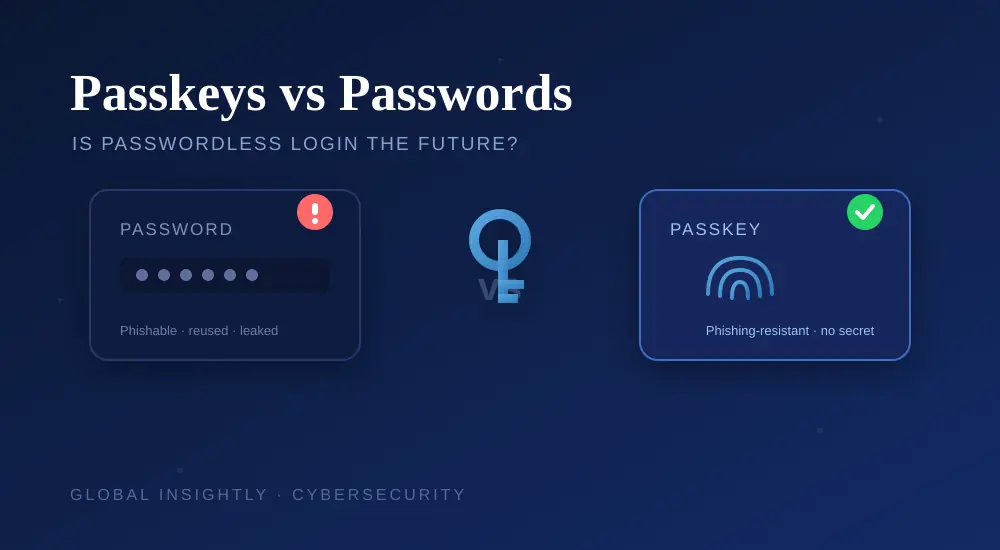
Passkeys vs Passwords: Is Passwordless Login the Future?
What Is a Passkey?
A passkey is a modern, passwordless way to sign in. Instead of typing a secret you have to remember, you unlock your account with whatever already unlocks your phone or laptop — your fingerprint, face or device PIN. There’s no password to type, so there’s nothing to forget, reuse or hand over to a scammer. Behind the scenes, a passkey is a pair of cryptographic keys: a public one stored by the website and a private one that never leaves your device.
How Passkeys Work (in Plain English)
When you create a passkey, your device generates two linked keys. The website keeps the public key; your device safely stores the private key. To log in, the site sends a challenge, your device signs it with the private key after you unlock it with your biometric or PIN, and the site verifies it with the public key. The private key is never sent anywhere — which is exactly why there’s nothing for an attacker to intercept or phish.
Passkeys vs Passwords: Quick Comparison
| Feature | Passwords | Passkeys |
|---|---|---|
| What you do | Type a secret you memorise | Unlock with face, fingerprint or PIN |
| Phishing risk | High — can be tricked out of you | Very low — nothing to type or share |
| Reuse / leaks | Often reused; exposed in breaches | Unique per site; nothing stored to leak |
| Remembering | You (or a manager) must remember them | Nothing to remember |
| Setup | Instant, works everywhere | A few taps; support still growing |
Why Passkeys Are Safer
Most account takeovers trace back to a password that was reused or phished. Passkeys remove both problems at once:
- Phishing-resistant: a passkey only works on the real website it was created for, so a fake lookalike page can’t capture it.
- Nothing to leak: there’s no password sitting in a company’s database to be stolen in a breach.
- No reuse: each passkey is unique to one site, so one compromised account can’t unlock others.
- No typing: nothing to shoulder-surf, keylog or trick out of you.
This is the same reason security experts push two-factor authentication — and why passkeys are often described as the strongest option in our password security tips.
The Catches: Where Passkeys Still Fall Short
Passkeys aren’t perfect yet. A few honest limitations:
- Not everywhere yet: big services (Google, Apple, Microsoft, and more) support them, but many sites still don’t.
- Device dependence: your passkeys are tied to your device ecosystem. Losing your phone can be stressful if you haven’t set up backup/recovery.
- Syncing confusion: passkeys can sync across your devices through your Google, Apple or Microsoft account — but moving between ecosystems (Android to iPhone) isn’t always smooth.
- Learning curve: the idea of “no password” feels unfamiliar at first.
Because of this, passwords won’t vanish overnight — which is why a good password manager is still worth using for the sites that don’t support passkeys.
How to Set Up a Passkey
The exact steps vary by service, but the pattern is the same:
- Go to your account’s Security settings (for example, your Google, Apple or Microsoft account).
- Look for “Passkeys” and choose to create one.
- Confirm with your device’s fingerprint, face or PIN.
- That’s it — next time you sign in, you’ll unlock with your biometric instead of typing a password.
Start with your most important account — your email — since it can reset every other login. Our guide on securing your Google account walks through enabling passkeys there step by step.
Should You Switch to Passkeys?
Yes — where they’re available, passkeys are a genuine upgrade, and there’s little reason not to use them on your key accounts. The smart approach for 2026 is a hybrid one: use passkeys wherever a site supports them, and keep strong, unique passwords (in a password manager) plus two-factor authentication everywhere else. Over the next few years, more sites will adopt passkeys and passwords will slowly fade — but until then, you get the best protection by combining both.
Final Thoughts
Passkeys fix the two things that make passwords dangerous: they can’t be reused and they can’t be phished. They’re not everywhere yet, and recovery needs a little planning, but for your email, bank and main accounts they’re one of the strongest protections available today. Turn one on for your most important account this week — and while you’re thinking about security, it’s worth checking whether your old passwords have already leaked using our guide on how to check if your email was in a data breach.
Frequently Asked Questions
Are passkeys safer than passwords?
Yes. Passkeys are phishing-resistant, unique to each site, and there’s no password stored anywhere to leak in a breach. For account security they’re stronger than a password alone.
What happens if I lose my phone?
If your passkeys sync through your Google, Apple or Microsoft account, you can recover them on a new device by signing back into that account. Set up account recovery in advance so a lost phone doesn’t lock you out.
Do passkeys work on every website?
Not yet. Major services support them and the list is growing fast, but many sites still only offer passwords. Use passkeys where available and strong passwords plus 2FA elsewhere.
Is a passkey the same as a fingerprint?
Not exactly. Your fingerprint or face unlocks the passkey on your device, but the actual login uses a private cryptographic key that never leaves your device. Your biometric data isn’t sent to the website.
Can passkeys be hacked or stolen?
There’s no password to steal, and the private key stays on your device, so passkeys are very hard to compromise remotely. The main risk is physical access to an unlocked device, so keep a strong screen lock.
Should I stop using a password manager if I use passkeys?
No. Many sites still need passwords, so a password manager remains useful. In fact, most managers now store passkeys too, giving you one place for both.
About Global Insightly
Global Insightly publishes practical guides on AI tools, cybersecurity, software and technology. Explore more at GlobalInsightly.com.
Official resource: FIDO Alliance — Passkeys.





Comments (0)