Android 17 Features: AI Upgrades, UI Redesign, Privacy & Device Continuity
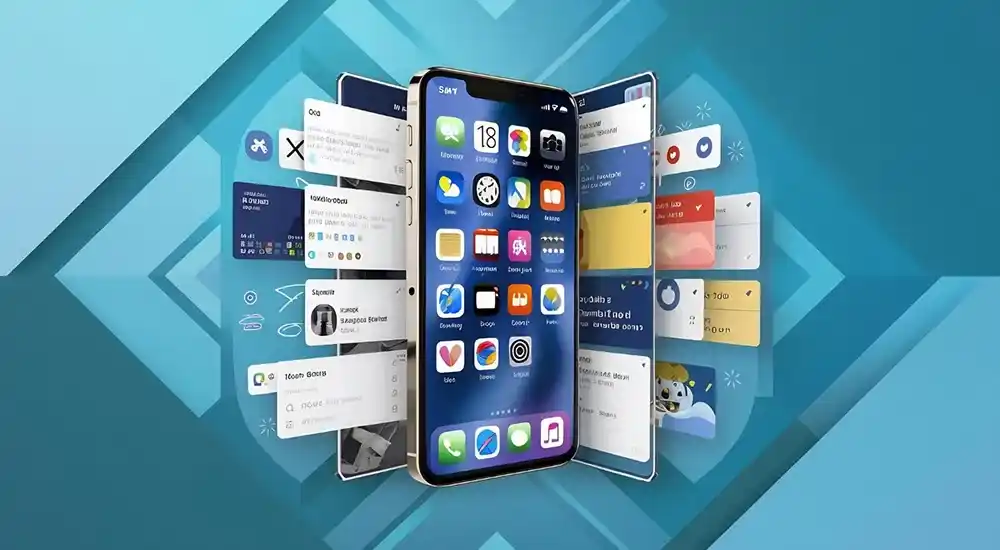
Mobile computing has entered an era where operating systems are no longer just static app launchers—they are context-aware, highly personalized platforms driven by artificial intelligence, seamless cross-device synchronization, and modern visual aesthetics. With the official rollout of Android 17 (codenamed internally as Cinnamon Bun), Google has delivered one of the most significant architectural and visual overhauls to the world’s most popular mobile operating system.
Building upon the foundational innovations laid by Android 16, the Android 17 update focuses heavily on fluid windowed multitasking, proactive AI integration through Gemini Intelligence, habit-breaking Digital Wellbeing controls, built-in system security, and optimized performance for foldables, tablets, and desktop displays.
In this exhaustive 2026 guide, we analyze every major highlight of the Android 17 features, user interface redesigns, new productivity tools, privacy upgrades, and performance optimizations, as well as how it compares to Android 16.
1. Android 17 Release Timeline & Eligible Devices
Google officially released the stable build of Android 17 on June 16, 2026 alongside the annual summer feature drops. The platform stability milestone was reached earlier in the year during Developer Preview and Beta cycles, giving global hardware partners ample time to adapt their custom user interface skins (such as Samsung One UI, Motorola My UX, OnePlus OxygenOS, and Xiaomi HyperOS).
Device rollout timelines for Android 17 include:
- Google Pixel Devices: Immediate OTA availability for Pixel 6 series, Pixel 7 series, Pixel 8 series, Pixel 9 series, Pixel 10 series, Pixel Fold, and Pixel Tablet. The Pixel 11 series ships with Android 17 out of the box.
- Flagship Partner Smart devices: Gradual updates rolling out to flagship models from Samsung, OnePlus, Xiaomi, OPPO, vivo, Motorola, realme, and iQOO throughout the second half of 2026.
- Foldables & Large-Screen Tablets: Priority deployments due to Android 17’s mandatory app adaptivity rules and new multi-window APIs.
The rapid integration of AI across mobile software architectures reflects broader technological shifts analyzed in our cornerstone report on How AI Tools Are Transforming Work, Education, and Daily Life in 2026.
2. Proactive AI: Gemini Intelligence & Rambler Dictation
Artificial Intelligence in Android 17 moves away from basic web query wrappers toward deep, OS-level contextual execution. Rather than waiting for manual user prompts, Gemini Intelligence operates proactively across system services to automate complex multi-app tasks.
Key AI & Productivity Highlights in Android 17
- Proactive Action Execution: Gemini Intelligence can parse complex documents or unstructured text automatically. For example, if a professor sends a course syllabus via Gmail, Gemini can extract textbook requirements and populate an e-commerce shopping cart with one tap.
- Rambler for Gboard: A revolutionary AI voice dictation mode built into Gboard. Where standard voice typing transcribes speech verbatim, Rambler strips out filler words (e.g., “um”, “uh”), corrects mid-sentence self-corrections on the fly, and restructures spoken thoughts into polished, ready-to-send text messages or emails.
- Custom Contextual Widgets: Dynamic desktop widgets that update content automatically based on calendar schedules, current physical location, and real-time user activity telemetry.
These system-level AI assistants complement standalone web-based productivity tools reviewed in our guide to the Best AI Productivity Tools in 2026.
3. Multitasking Revolution: OS-Wide App Bubbles & Desktop Mode
Multitasking on Android has historically been limited to split-screen modes or app-specific chat heads. Android 17 breaks down these barriers by expanding the Bubbles API to the entire operating system.
A. Any-App Floating Bubbles
In Android 17, you can long-press almost any app icon on your home screen or recents switcher—such as the Calculator, Google Keep, Spotify, or a web browser—and select “Convert to Bubble”. The app shrinks into a compact, floating circular icon pinned on top of your screen, allowing you to reference notes, watch tutorials, or complete calculations without switching context.
B. The Taskbar Bubble Bar
On large-screen tablets and foldable devices, floating bubbles dock neatly into a new, dedicated Bubble Bar situated alongside the main taskbar. Users can tap to minimize, resize, or expand floating windows into full-screen view with single-gesture controls.
C. Desktop Mode & Interactive Picture-in-Picture (iPiP)
When connecting an Android 17 device to an external monitor, the revamped Desktop Mode provides a workstation experience. Featuring resizable app windows, stacked window management, and Interactive Picture-in-Picture (iPiP), media overlays remain fully clickable and controllable even when layered under active document windows.
4. Visual Overhaul: Liquid Glass UI & Split Quick Settings
Visually, Android 17 evolves the Material You design philosophy into a sleeker, more tactile aesthetic known as Material 3 Expressive (Liquid Glass).
UI Design Enhancements in Android 17
- Translucent Frosted Glass Layering: Opaque solid backgrounds across the volume panel, power menu, app drawer, and notification shade have been replaced with dynamic, light-refracting frosted glass effects that mirror ambient wallpaper colors.
- Split Quick Settings & Notification Panel: Taking cues from modern large-screen interfaces, Android 17 lets users split shade pulls: swiping down from the top-left reveals the notification feed, while swiping down from the top-right opens an expanded Quick Settings grid.
- Dedicated Wi-Fi & Data Toggles: Listening to user feedback, Google has reintroduced separate, one-tap control buttons for Wi-Fi and Cellular Data within Quick Settings, bypassing the combined Internet tile extra tap.
- Icon-Only Clean Home Screen: Users can now hide text app labels underneath home screen icons, creating a minimal, aesthetic grid composed purely of modern dynamic icons.
5. Digital Wellbeing & Creator Tools: Pause Point & Screen Reactions
Android 17 introduces meaningful software additions focused on digital mental health and mobile content creation.
A. Pause Point Anti-Doomscrolling
To help users break mindless social media scrolling habits, Pause Point acts as a mindful speed bump. When launching designated distracting apps, a clean splash screen appears displaying a brief 10-second countdown splash alongside daily usage stats, giving you a intentional moment to decide whether to proceed or put the phone away.
B. Screen Reactions for Content Creators
The built-in screen recorder now features Screen Reactions. Content creators, educators, and gamers can record their device screen while simultaneously capturing their face using the selfie camera in a customizable picture-in-picture window. Users can annotate, doodle, and highlight elements directly on the display during recording without downloading third-party screen capturing utilities.
6. Privacy, Security & Anti-Theft Protection
As cyber threats evolve, Android 17 strengthens user data defense through local hardware sandboxing, biometric gates, and forward-looking cryptography.
Security & Privacy Upgrades in Android 17
- Native OS App Lock: Users can lock specific applications (such as banking, gallery, or messaging apps) behind biometric authentication, PIN, or pattern directly from the launcher without using third-party vault apps.
- Session-Based Contacts Picker: Instead of granting apps full access to your entire contacts database, a new privacy-preserving picker lets you grant temporary, one-time permission to specific selected contacts.
- Local Network Permission Checks: Apps targeting Android 17 must explicitly request user permission before scanning local Wi-Fi networks for connected IoT smart home hardware.
- Post-Quantum Cryptography (PQC) Support: Integrates quantum-resistant encryption algorithms into key storage and app signature verification to safeguard systems against future computing threats.
- Advanced Theft & Passcode Protection: Progressive lockout delays trigger automatically if incorrect PIN attempts occur in suspicious locations, while changing critical security settings requires mandatory biometric authentication.
These advanced device defenses mirror enterprise security architecture analyzed in our guide on Cybersecurity Threats and Prevention Strategies in 2026.
7. Cross-Device Continuity & Large-Screen Adaptivity
Fragmented device ecosystems are unified through Android 17’s multi-device continuity framework.
A. Device Handoff (“Continue On”)
With Handoff support, users can start a task—such as drafting an email, editing a document, or browsing a web page—on an Android phone and instantly transition to a nearby Android tablet or laptop with a single tap on the recents taskbar.
B. Mandatory Adaptive App Resizing
To ensure high-quality software experiences on foldable phones and tablets, apps targeting Android 17 can no longer force fixed screen orientations or block window resizing. The OS forces adaptive responsive layouts across all non-gaming application packages.
8. Android 16 vs. Android 17 Comparison
Comparing key generational differences illustrates how Android 17 advances user experience:
| Feature Parameter | Android 16 | Android 17 |
|---|---|---|
| System Codename | Baklava | Cinnamon Bun |
| Multitasking Model | Standard Split-Screen & Messaging Chat Heads | OS-Wide App Bubbles, Bubble Bar, & Interactive PiP |
| AI Dictation | Standard Voice-to-Text Transcribe | Rambler Gboard AI (Removes Fillers & Restructures) |
| System Design UI | Material You / Solid Palette Containers | Material 3 Expressive (Translucent Liquid Glass) |
| App Privacy | Basic Permission Prompts | Native App Lock & Session-Based Contacts Picker |
| Digital Wellbeing | App Timers & Focus Mode | Pause Point Intentional Countdown Splash |
| Cryptographic Defense | Standard AES/RSA Key Storage | Post-Quantum Cryptography (PQC) Support |
9. How to Upgrade to Android 17
If you own an eligible Google Pixel or supported partner flagship device, upgrading to Android 17 is straightforward:
- Open your phone’s Settings app.
- Navigate down to System > System Update.
- Tap Check for Update.
- If the Android 17 update is available, tap Download and Install over a stable Wi-Fi connection.
- Reboot your device once installation completes to enjoy the new OS experience.
To explore additional technology tools, web extensions, and software reviews, check out our guide on the Best AI Chrome Extensions in 2026, or secure your accounts using our evaluation of the Best Password Managers in 2026.
10. Final Thoughts
Android 17 stands as one of Google’s most complete operating system updates to date. By combining fluid OS-wide App Bubbles, proactive Gemini Intelligence workflows, refined translucent glass visuals, and native security protections like App Lock and Post-Quantum Cryptography, Android 17 sets the standard for modern mobile computing.
Whether you are a power user seeking desktop-class multitasking on foldables, a student managing busy study schedules, or a privacy-conscious user protecting personal data, Android 17 delivers a refined, secure, and intuitive digital experience.
Frequently Asked Questions (FAQs)
What are the key new features in Android 17?
Android 17 introduces system-wide App Bubbles for multitasking, Gemini Intelligence integration, Gboard Rambler dictation, Pause Point anti-doomscrolling, Native App Lock, Handoff continuity, and frosted glass translucent UI effects.
What is the official release date and codename of Android 17?
Android 17, officially codenamed “Cinnamon Bun”, was released on June 16, 2026, rolling out initially to eligible Google Pixel devices followed by flagship partner devices.
How does OS-wide App Bubbles work in Android 17?
In Android 17, you can long-press almost any application icon on your home screen or recents menu to convert it into a floating window. On foldables and tablets, a dedicated Bubble Bar docks these windows at the bottom for fluid multitasking.
Does Android 17 include a native App Lock feature?
Yes, Android 17 introduces a native OS-level App Lock system that allows users to secure individual applications using biometrics, PIN, or passcode directly from the home screen launcher without relying on third-party security apps.








Comments (0)