Best Productivity Apps for Students and Professionals in 2026
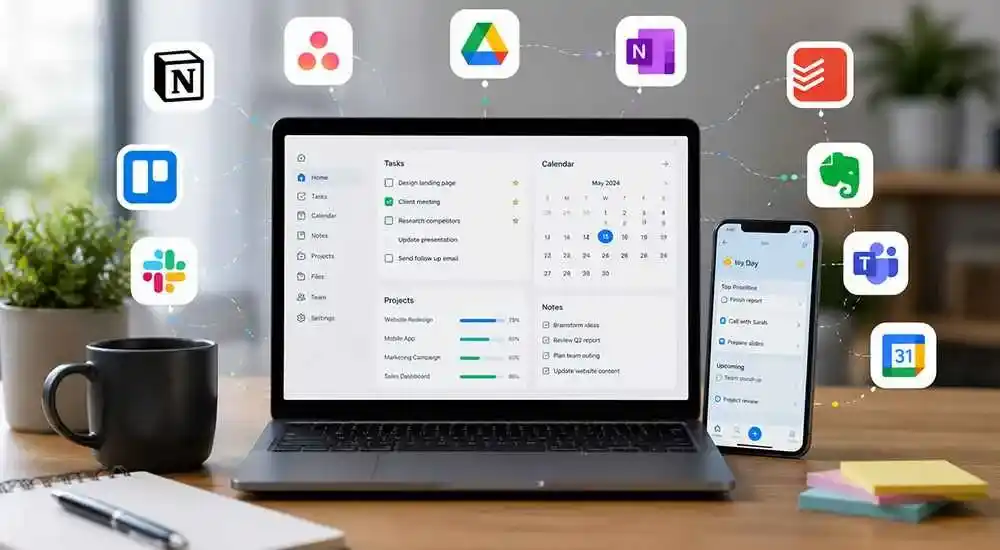
Productivity apps have become essential tools for students, freelancers, remote workers, and business professionals. These apps help users manage time, organize tasks, take notes, collaborate with teams, and stay focused throughout the day.
In 2026, productivity apps are smarter and more advanced than ever, offering AI-powered features, cloud synchronization, automation tools, and better collaboration systems.
In this guide, we explore the best productivity apps for students and professionals in 2026.
1. Notion
Notion is one of the most popular productivity apps for note-taking, project management, and team collaboration.
Key Features
- AI-powered writing assistance
- Task and project management
- Cloud synchronization
- Custom workspaces
- Team collaboration tools
Students use Notion for study planning and note organization, while professionals use it for workflow management and documentation.
2. Trello
Trello helps users manage projects visually using boards, lists, and cards.
Main Benefits
- Easy task tracking
- Visual project organization
- Team collaboration
- Deadline management
- Simple user interface
Trello is highly useful for teams, students managing assignments, and freelancers organizing client work.
3. Microsoft OneNote
Microsoft OneNote is a powerful note-taking app designed for students and office professionals.
Top Features
- Digital notebooks
- Handwritten note support
- Cloud backup
- Cross-device synchronization
- Easy content organization
It is especially useful for class notes, meeting notes, and research documentation.
4. Google Keep
Google Keep offers a simple and lightweight solution for quick notes, reminders, and task lists.
Why People Use Google Keep
- Quick note creation
- Voice notes support
- Reminder notifications
- Color-coded organization
- Google account synchronization
5. Todoist
Todoist is one of the best task management apps for organizing daily work and personal goals.
Main Features
- Task prioritization
- Deadline reminders
- Recurring tasks
- Team productivity tracking
- Cross-platform support
6. Evernote
Evernote helps users organize notes, research materials, web clippings, and documents efficiently.
Important Advantages
- Advanced note organization
- Web clipping tool
- Document scanning
- Cloud storage support
- Powerful search functionality
7. Slack
Slack is one of the best communication and collaboration platforms for teams and workplaces.
Key Features
- Instant messaging
- Team channels
- File sharing
- Video meetings
- App integrations
Slack improves workplace communication and remote team collaboration significantly.
8. Forest
Forest is a unique productivity app designed to help users stay focused and avoid smartphone distractions.
How Forest Works
- Focus timer system
- Gamified productivity
- Reduces phone distractions
- Study session tracking
- Motivational design
It is especially popular among students preparing for exams and professionals needing deep focus sessions.
9. Google Calendar
Google Calendar helps users manage schedules, meetings, classes, and important events efficiently.
Main Advantages
- Event scheduling
- Meeting reminders
- Task planning
- Calendar sharing
- Cross-device access
10. Grammarly
Grammarly improves writing quality by correcting grammar mistakes and providing AI-powered writing suggestions.
Top Features
- Grammar correction
- AI writing support
- Tone improvement
- Plagiarism detection
- Professional writing assistance
Why Productivity Apps Are Important
Productivity apps help users manage time effectively, reduce stress, stay organized, and improve work efficiency.
Students can improve study habits and assignment management, while professionals can boost collaboration, communication, and project management.
Productivity Apps Comparison Table
| App | Best For | Platform Support | AI Features |
|---|---|---|---|
| Notion | Project Management | Web, Android, iOS | Yes |
| Trello | Task Organization | Web, Android, iOS | Limited |
| OneNote | Note Taking | Windows, Android, iOS | No |
| Todoist | Task Management | Web, Android, iOS | Yes |
| Forest | Focus Sessions | Android, iOS | No |
Tips to Improve Productivity
- Use daily task lists
- Set realistic goals
- Avoid multitasking
- Take regular breaks
- Use focus apps during study or work
- Track progress regularly
Final Thoughts
The best productivity apps in 2026 help users stay organized, focused, and efficient in both personal and professional life.
Whether you are a student preparing for exams or a professional managing projects, choosing the right productivity tools can improve your workflow and save valuable time.
Frequently Asked Questions (FAQs)
Which is the best productivity app for students?
Notion, OneNote, and Forest are among the best productivity apps for students.
What is the best app for task management?
Todoist and Trello are excellent apps for task and project management.
Are productivity apps free?
Many productivity apps offer free versions with optional premium features.
Can productivity apps improve focus?
Yes, apps like Forest and Todoist help users stay focused and manage time more effectively.









Comments (0)