Top Cybersecurity Tips to Protect Your Data Online in 2026
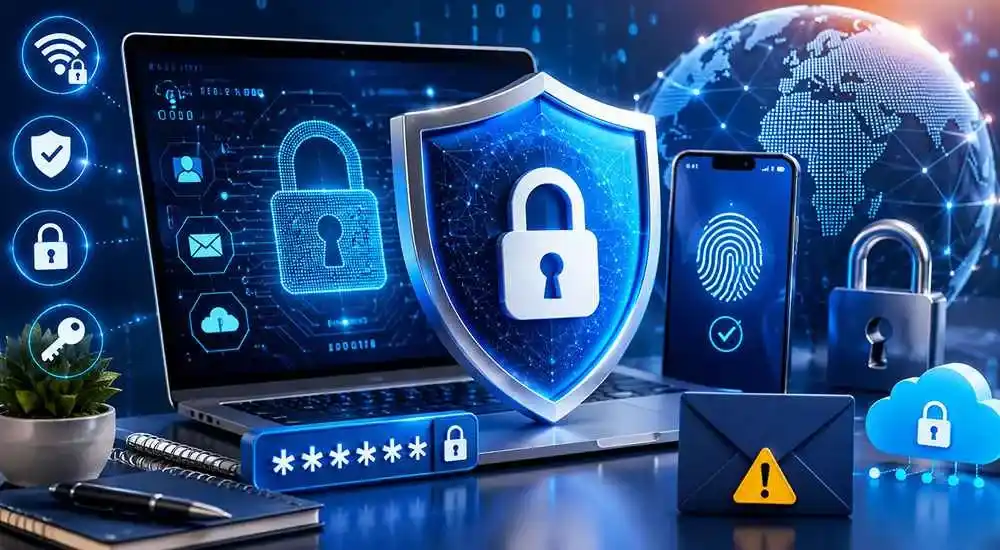
In today’s digital world, protecting your personal and financial information online has become more important than ever. Cybercriminals are constantly using advanced techniques to steal data, hack accounts, and spread malware.
Whether you use social media, online banking, email, or cloud storage, following strong cybersecurity practices can help protect your privacy and sensitive information.
In this article, we share the top cybersecurity tips to protect your data online in 2026.
1. Use Strong and Unique Passwords
One of the most important cybersecurity practices is using strong passwords for all your online accounts.
Best Password Practices
- Avoid using common words or birthdays
- Create unique passwords for each account
- Use at least 12 characters
- Consider using a password manager
2. Enable Two-Factor Authentication (2FA)
Two-factor authentication adds an extra layer of security by requiring a second verification step when logging into accounts.
Benefits of 2FA
- Protects against unauthorized access
- Improves account security
- Reduces hacking risks
- Adds extra login protection
3. Keep Your Software Updated
Software updates often include important security patches that fix vulnerabilities and protect devices from cyber attacks.
What You Should Update Regularly
- Operating systems
- Web browsers
- Mobile apps
- Antivirus software
- Wi-Fi routers
4. Avoid Clicking Suspicious Links
Phishing attacks are one of the most common cybersecurity threats. Hackers often send fake emails or messages containing harmful links.
How to Identify Phishing Scams
- Check the sender’s email address
- Avoid urgent or threatening messages
- Never download unknown attachments
- Verify website URLs carefully
5. Use Antivirus and Security Software
Reliable antivirus software helps detect and block malware, ransomware, spyware, and other online threats.
Main Advantages
- Real-time threat protection
- Malware detection
- Safe web browsing
- Improved device security
6. Protect Your Wi-Fi Network
An unsecured Wi-Fi network can expose your personal information to hackers and unauthorized users.
Wi-Fi Security Tips
- Use strong Wi-Fi passwords
- Enable WPA3 encryption
- Hide your network name if possible
- Change default router settings
7. Be Careful on Public Wi-Fi
Public Wi-Fi networks in cafes, airports, and hotels are often less secure and can be targeted by cybercriminals.
How to Stay Safe
- Avoid online banking on public Wi-Fi
- Use a VPN service
- Disable automatic Wi-Fi connections
- Log out of sensitive accounts
8. Backup Your Important Data
Regular data backups help protect your files from ransomware attacks, accidental deletion, or hardware failures.
Best Backup Methods
- Cloud storage backups
- External hard drives
- Automatic backup systems
- Encrypted backup storage
9. Limit Personal Information Sharing
Sharing too much personal information online can increase the risk of identity theft and cyber scams.
What to Avoid Sharing Publicly
- Phone numbers
- Home addresses
- Bank details
- Passwords
- Private documents
10. Monitor Your Accounts Regularly
Regularly checking your accounts helps identify suspicious activities before serious damage occurs.
Things to Monitor
- Bank transactions
- Email login alerts
- Social media activity
- Unknown account logins
Why Cybersecurity Is Important in 2026
As technology continues to grow, cyber threats are becoming more advanced. Individuals and businesses store large amounts of personal and financial data online, making cybersecurity more critical than ever.
Strong cybersecurity habits can reduce the risk of data breaches, identity theft, and financial loss.
Final Thoughts
Protecting your data online should be a top priority in today’s digital world. By following these cybersecurity tips, you can reduce online risks and keep your personal information safe.
Simple practices like using strong passwords, enabling two-factor authentication, and avoiding suspicious links can make a significant difference in your online security.
Frequently Asked Questions (FAQs)
What is cybersecurity?
Cybersecurity refers to protecting computers, networks, devices, and data from hackers, cyber attacks, and online threats.
Why is online data protection important?
Online data protection helps prevent identity theft, financial fraud, and unauthorized access to personal information.
What is the safest way to protect online accounts?
Using strong passwords, enabling two-factor authentication, and regularly updating software are among the best ways to stay secure online.
Can public Wi-Fi be dangerous?
Yes, public Wi-Fi networks can expose users to cyber attacks if proper security measures are not followed.








Comments (0)